Open to software and AI/ML opportunities

Hello, I'mSiva KumarCode · Learn · Automate

Merging Artificial Intelligence with core software development to solve real-world problems. I build practical, intelligent software by combining strong programming fundamentals with continuous learning.

SK
⌘ Software & DSALearning by building
✳ AI / MLIdeas into reality
☁ Cloud TechnologyBuilding scalable solutions
100+Coding problems solved
4Internship experiences
5Featured projects
2027Expected graduation
Scroll to explorePORTFOLIO · 2026
01 / About me

Siva Kumar
Software Engineer

Computer Science student specializing in AI, dedicated to writing optimized code and solving real-world challenges

I'm pursuing a B.Tech in Computer Science and Engineering with an AI specialization at Parul University. My technical interests include programming, data structures, algorithms, software development and machine learning

I bridge the gap between complex algorithms and practical, user-centric software. I enjoy building useful applications, improving code quality and learning through hands-on projects.

◈

Education

B.Tech CSE — AI specialization
Parul University
2023–2027

◎

Interests

SAP Technical Consultant
Software Engineering
Energy Data Analytics
Systems Engineer
Associate Product Engineer

↗

Goals

Become a software engineer
Build practical solutions
Keep improving DSA skills

02 / Professional Experience

Hands-on
Experience

Internships that helped me apply technical concepts to practical projects

Jun — Jul 2025
Remote

Machine Learning Intern

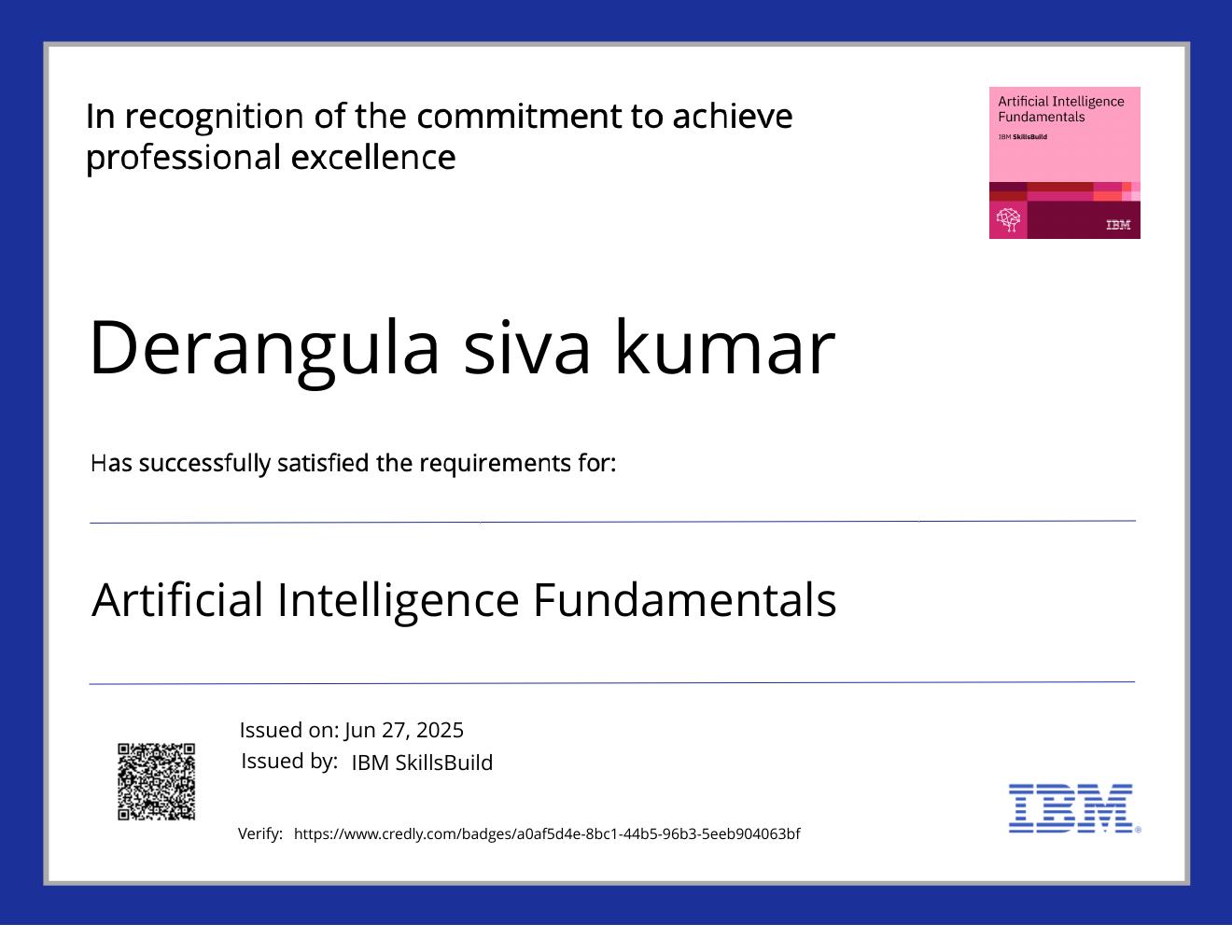
IBM SkillsBuild and Edunet Foundation · Worked on an Adult Census Income classification workflow, including data preprocessing, categorical encoding, feature scaling and train/test splitting. Compared KNN, Logistic Regression and MLP models; the project README reports 82.69%, 82.73% and 85.18% accuracy, respectively, with MLP highest.

↗
May — Jun 2025
Remote

Python Intern

APSSDC · Built a Python and Flask Marks Calculator with a responsive interface, live total and average previews, subject-level result indicators, input validation, and a print-friendly result report.

↗
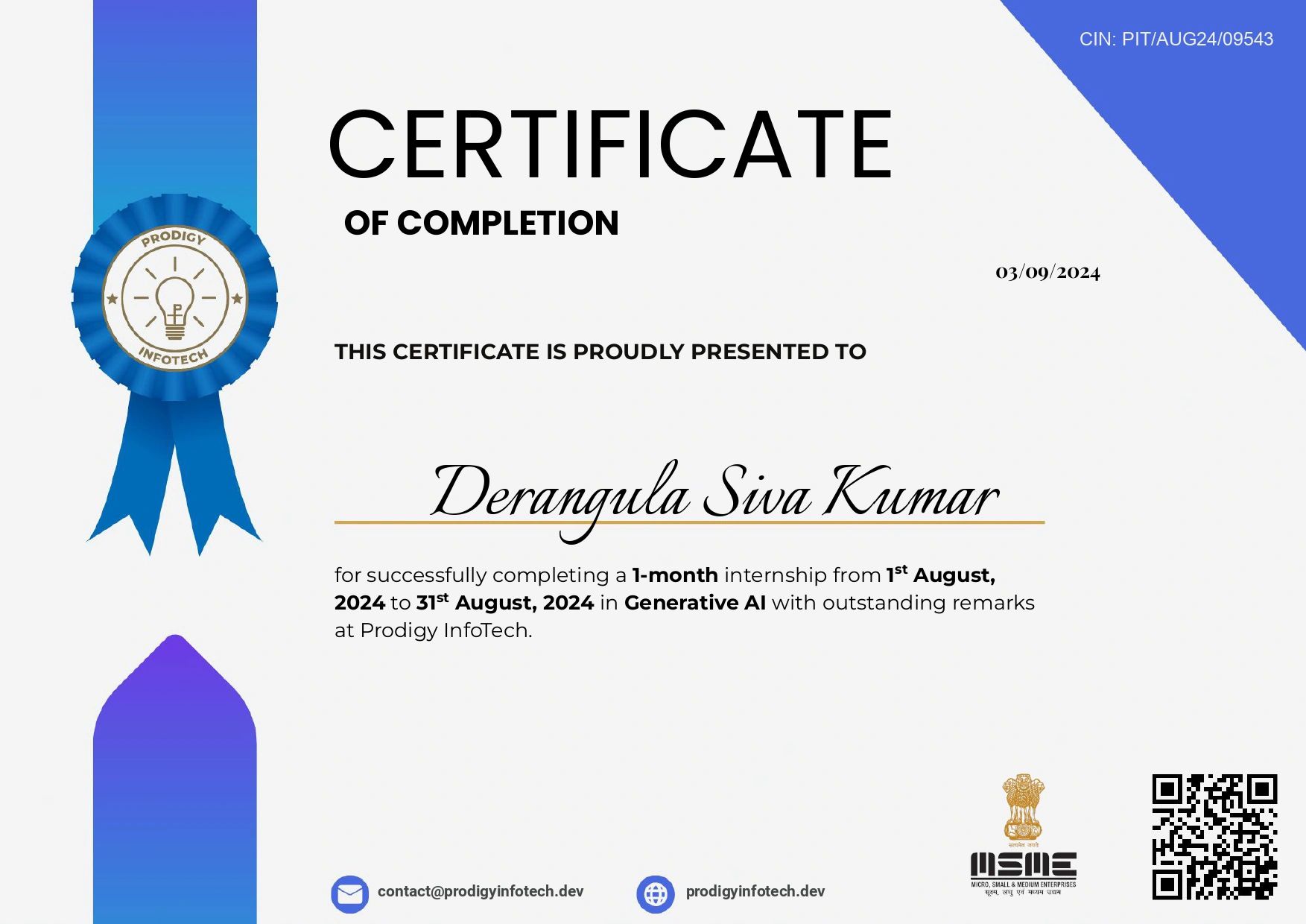
Aug 2024
Remote

Generative AI Intern

Prodigy InfoTech · Completed a one-month Generative AI internship, exploring Generative AI concepts and practical AI-assisted workflows.

↗
Sep — Oct 2026
Remote

AWS Cloud Computing Intern

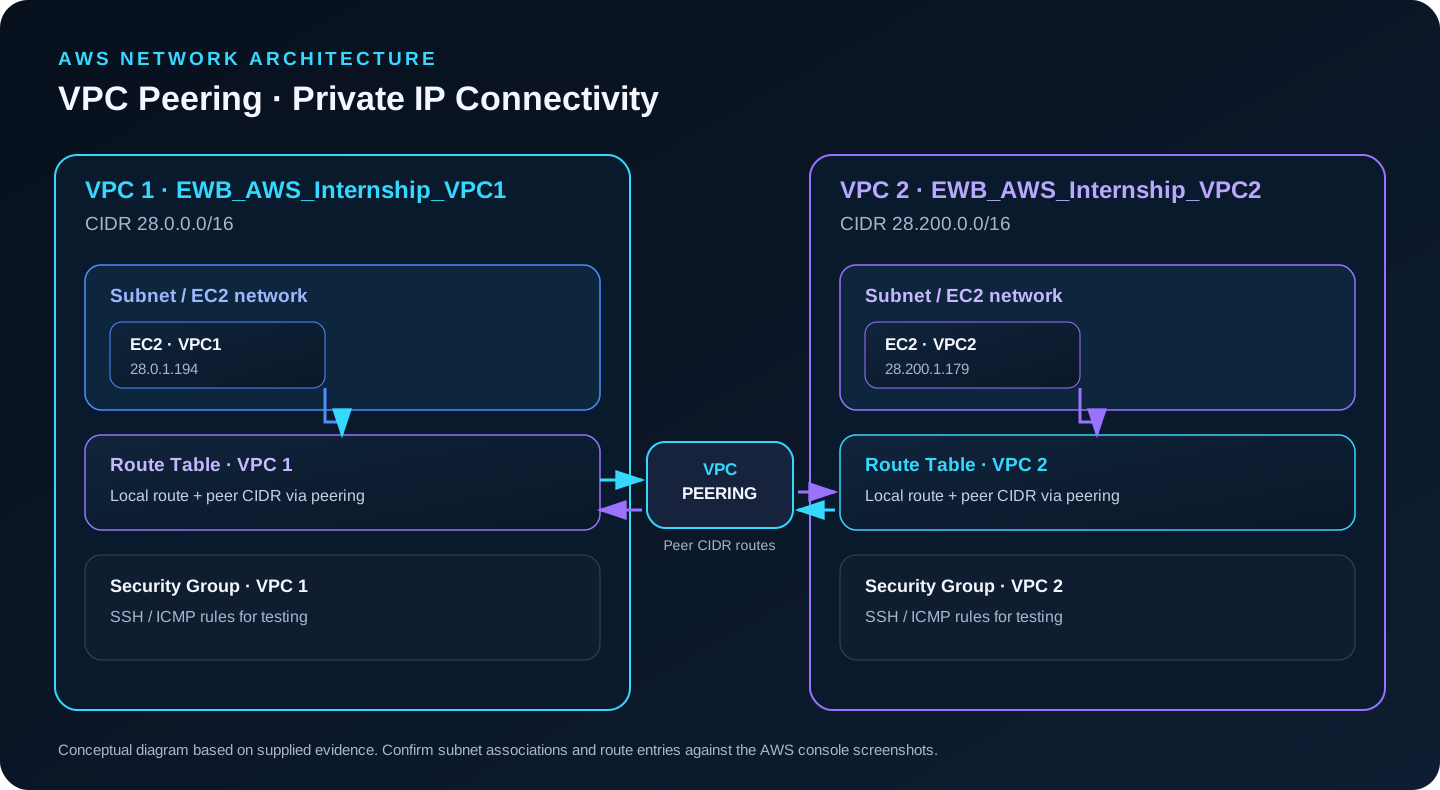
EWB Edutech Private Limited · Completed hands-on work involving VPC networking, route tables, security groups, EC2 access, VPC peering and connectivity troubleshooting.

↗
03 / Selected work

Turning Ideas
into Execution

Four projects across machine learning, web development and agricultural analytics. Each card links to its own repository and README

income_class = model.predict(features)
models: KNN · Logistic · MLP
best reported: 85.18%
01 · MACHINE LEARNINGPYTHON

Employee Salary Prediction

Predicts whether a person’s annual income exceeds $50K using the Adult Census Income dataset. The workflow covers data cleaning and preprocessing, categorical encoding, feature scaling, train/test splitting and comparison of K-Nearest Neighbors, Logistic Regression and a Multi-Layer Perceptron. Reported accuracies are 82.69%, 82.73% and 85.18%, respectively, with the MLP performing best in the README results.

PythonPandasScikit-learn
View repository ↗
Read project README ↗
movie_features = genres + cast
vectorizer: TF-IDF
similarity: cosine
02 · MACHINE LEARNINGPYTHON / FLASK

Movie Recommendation System

A content-based recommendation app that analyzes movie genres, overview, director and cast. It converts text features into TF-IDF vectors, uses cosine similarity to identify related titles, supports genre preferences and returns the top five movie recommendations through a Flask web interface.

PythonFlaskScikit-learn
View repository ↗
Read project README ↗
total = Python + C + DSA
threshold: 35 / 100
live score preview ↗
03 · WEB APPLICATIONPYTHON / FLASK

Marks Calculator

A Flask-based marks calculator with a responsive interface and live total and average previews. It shows subject-level result indicators, validates empty, non-integer and out-of-range marks, applies the documented pass threshold of 35 out of 100 per subject, and generates a print-friendly result report.

PythonFlaskHTML · CSS · JS
View repository ↗
Read project README ↗
farm_income = revenue - costs
benefit_cost = benefits / costs
scenario analysis ±20%
04 · TEAM PROJECTAGRICULTURE / ANALYTICS

AI-Based Agri-Flow Intelligence

A team project focused on practical farm financial analysis. The project concept organizes production costs and revenue to estimate Net Farm Income, calculate the Benefit-Cost Ratio, assess break-even points and run ±20% sensitivity scenarios. It also considers MSP/mandi context, government subsidies and sustainability-oriented recommendations. The repository currently has no README/code available to verify implementation details, so this summary reflects the project information provided in the resume.

PythonCost AnalysisFarm FinanceSensitivity Analysis
View repository ↗
Read project README ↗
04 / AWS Hands-on Experience

Building in the
AWS Cloud

18 AWS projects and hands-on builds: one featured VPC Peering project plus 17 documented tasks across networking, security, compute, storage, serverless, databases and monitoring. Each task includes a preview, technical steps, learning outcomes and its own evidence document.

02 / Networking

Networking & Security

VPCs, private subnets, Security Groups, Network ACLs and Route 53 private DNS.
03 / Infrastructure

Compute, Storage & Hosting

EC2, Application Load Balancing, Auto Scaling, S3, EBS, static website hosting and EFS lifecycle policies.

04 / Cloud Services

Identity, Data & Monitoring

IAM policies, Lambda versions and aliases, RDS MySQL, DynamoDB Streams and CloudWatch alarms.

02 / Networking & Security

Networking & Security

VPCs, private subnets, Security Groups, Network ACLs and Route 53 private DNS.

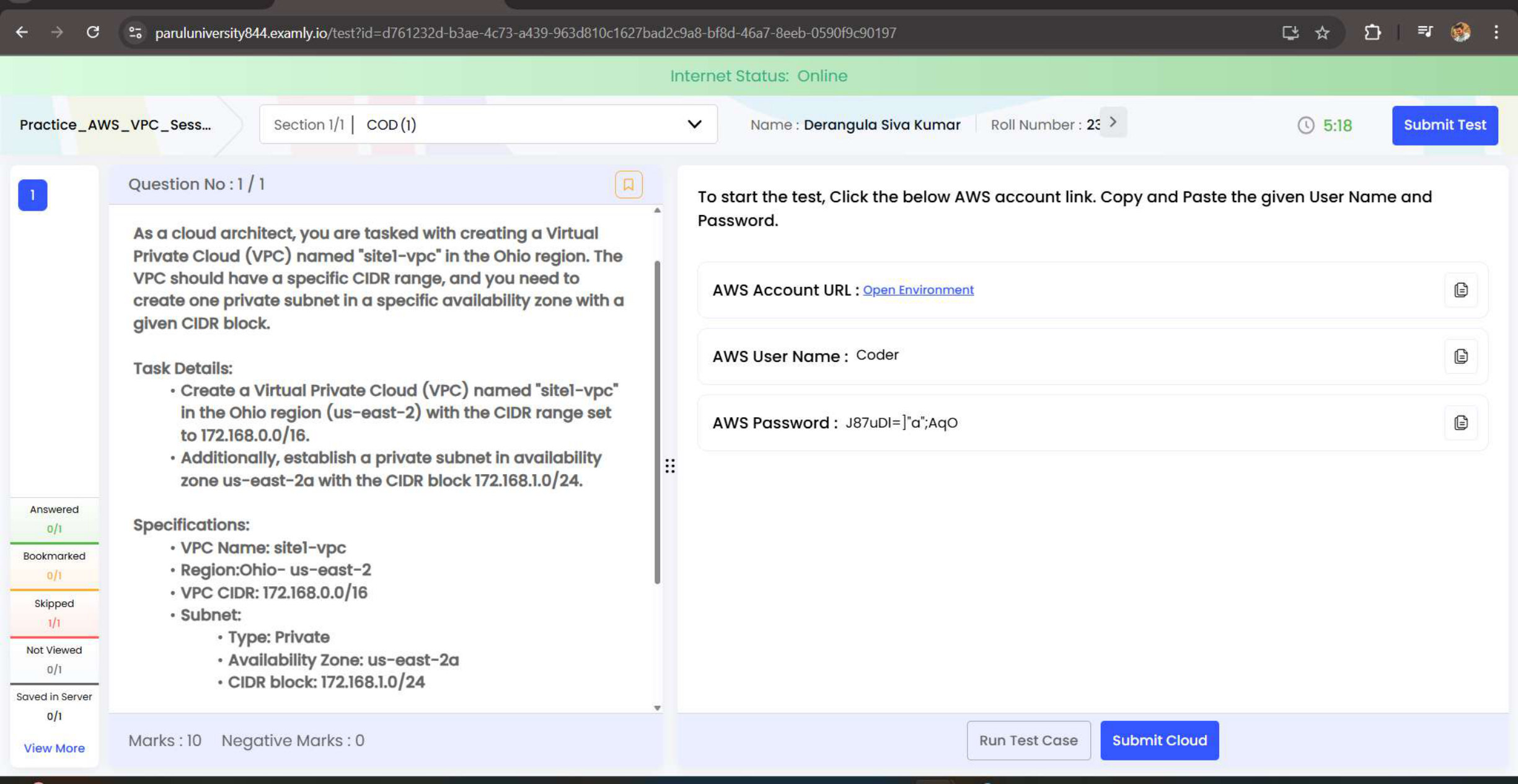
AWS task evidence preview: VPC & Private Subnet
Task 02 / Networking & SecurityVPC / Networking

VPC & Private Subnet

Created a Virtual Private Cloud (VPC) named site1-vpc in the Ohio region (us-east-2) with the CIDR block 172.168.0.0/16.
VPCNetworking
Technical steps & learning outcomes

Implementation details

  • Created a Virtual Private Cloud (VPC) named site1-vpc in the Ohio region (us-east-2) with the CIDR block 172.168.0.0/16.
  • Set up a private subnet in us-east-2a with CIDR 172.168.1.0/24.

Outcome & learning

  • All configurations passed 100% of the validation checks.
  • Learned about VPC networking and subnet design in the cloud.
  • This is the beginning of the cloud journey, with continued focus on building AWS skills.
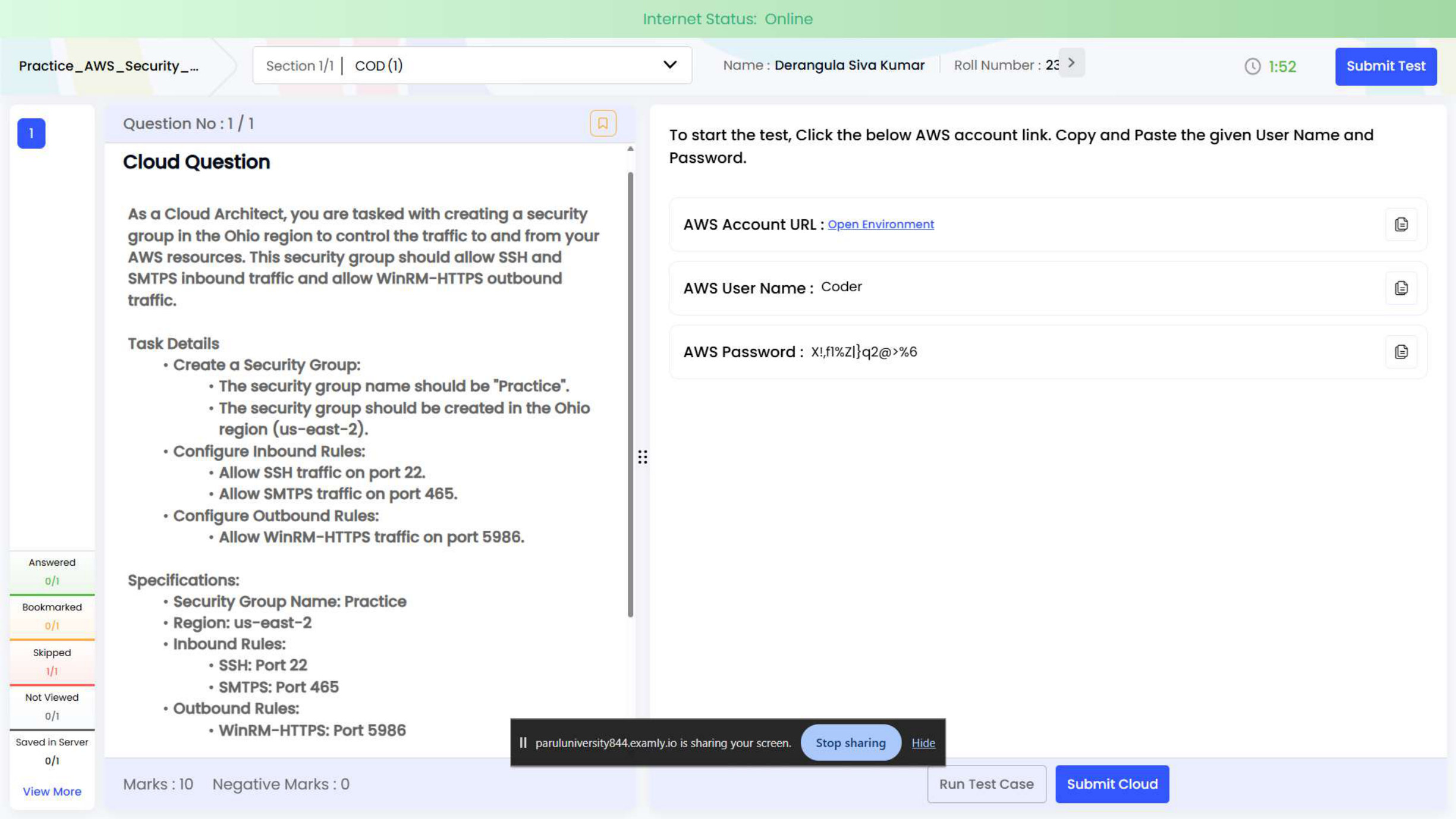
AWS task evidence preview: Security Groups
Task 03 / Networking & SecurityVPC / Security

Security Groups

Created a Security Group named Practice in the Ohio region (us-east-2).
VPCSecurity
Technical steps & learning outcomes

Implementation details

  • Created a Security Group named Practice in the Ohio region (us-east-2).
  • Configured inbound rules to allow SSH traffic on port 22 and SMTPS traffic on port 465.
  • Configured an outbound rule to allow WinRM-HTTPS traffic on port 5986.

Outcome & learning

  • All test cases passed successfully with 100% validation.
  • Learned how to control and secure traffic to and from AWS resources using Security Groups.
  • Strengthened understanding of cloud security best practices and network access management.
AWS task evidence preview: Network ACLs
Task 04 / Networking & SecurityVPC / Security

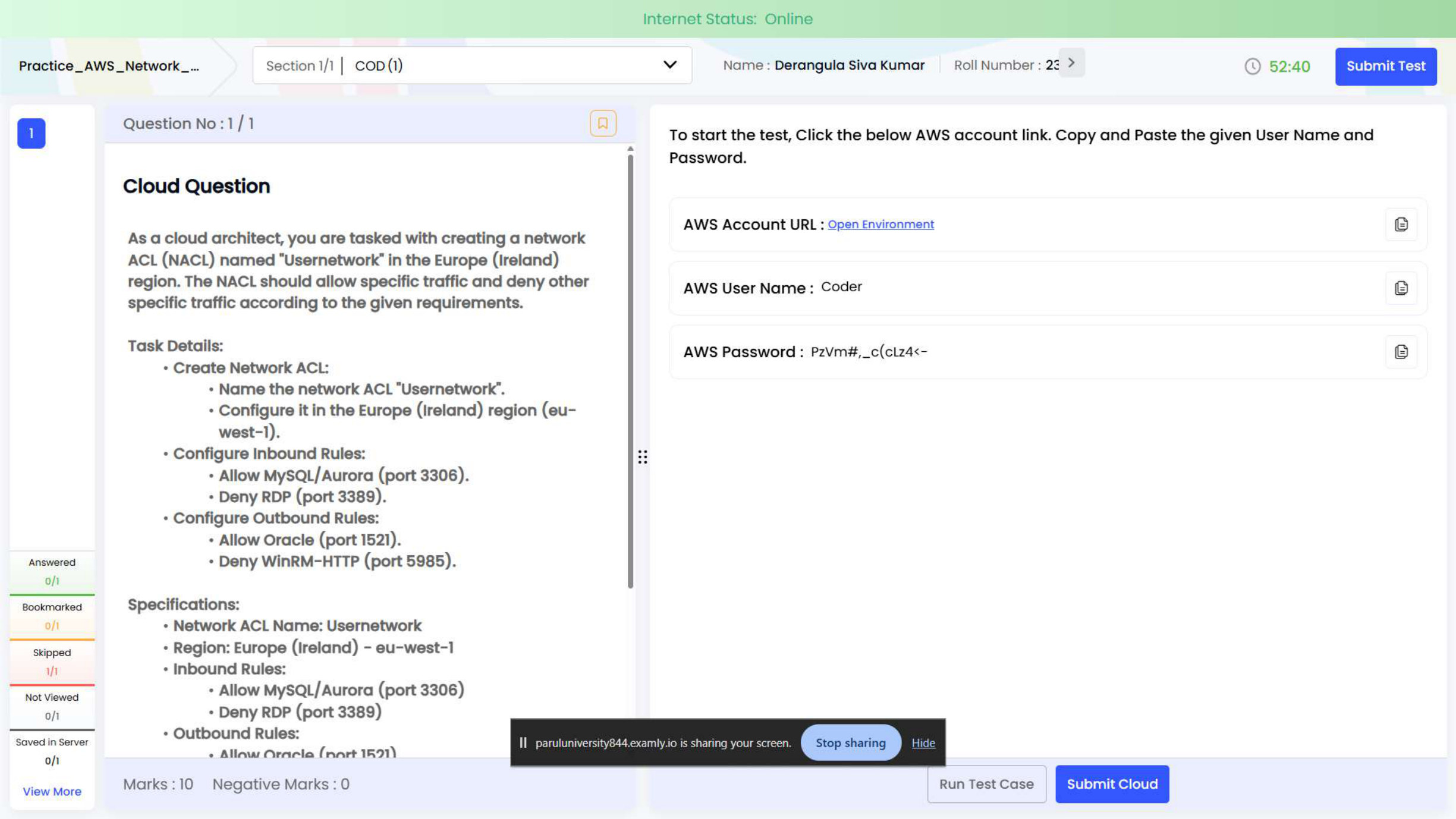
Network ACLs

Created a Network ACL named Usernetwork in the Europe (Ireland) region (eu-west-1).
VPCSecurity
Technical steps & learning outcomes

Implementation details

  • Created a Network ACL named Usernetwork in the Europe (Ireland) region (eu-west-1).
  • Inbound rules: allowed MySQL/Aurora traffic on port 3306 and denied RDP traffic on port 3389.
  • Outbound rules: allowed Oracle traffic on port 1521 and denied WinRM-HTTP traffic on port 5985.

Outcome & learning

  • All test cases passed successfully with 100% validation.
  • Enhanced understanding of controlling inbound and outbound traffic at the subnet level using Network ACLs.
  • Strengthened cloud security and network management skills.
AWS task evidence preview: Route 53 Private DNS
Task 05 / Networking & SecurityRoute 53 / Networking

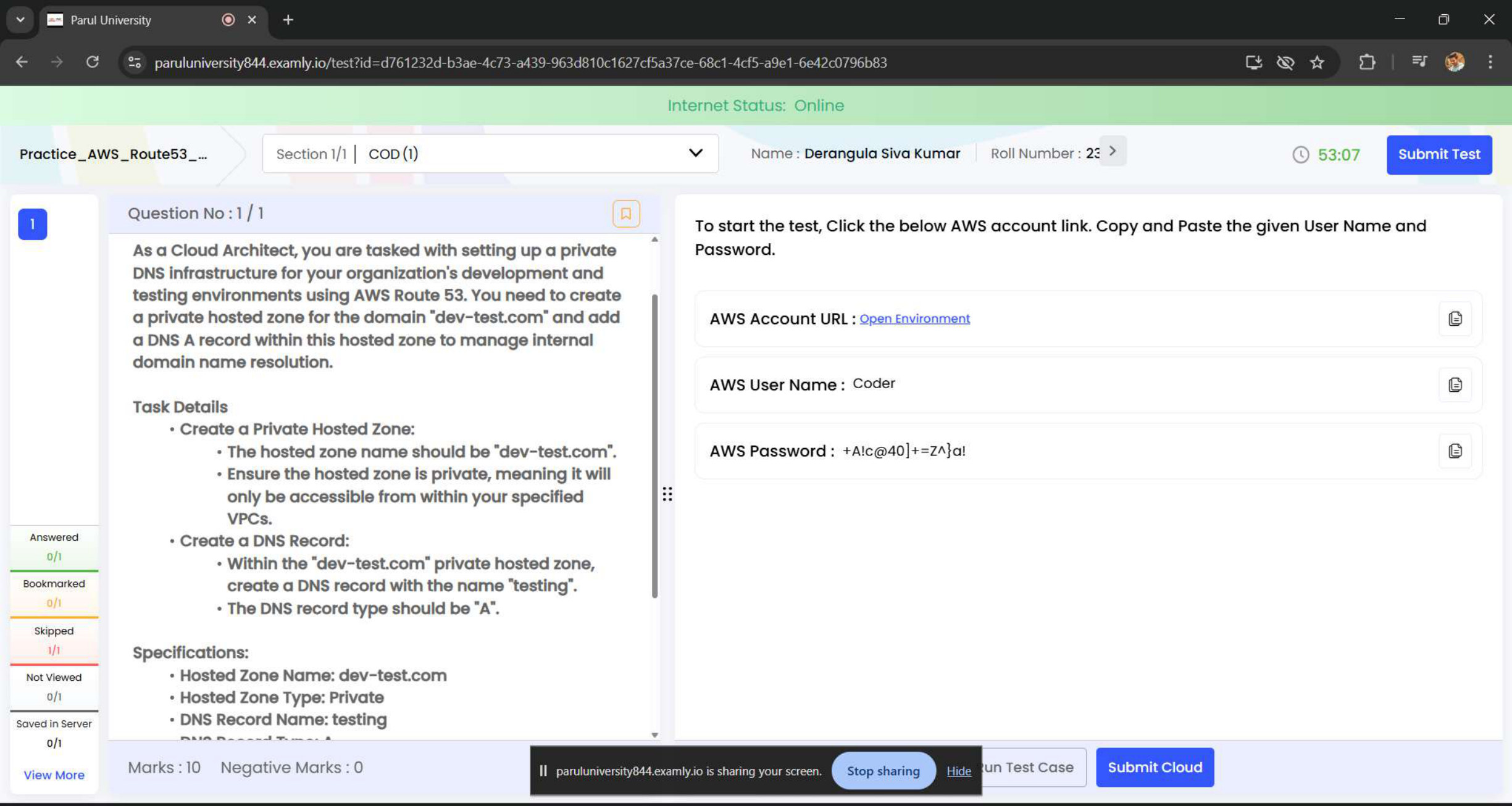
Route 53 Private DNS

Created a Private Hosted Zone named dev-test.com.

Route 53Networking
Technical steps & learning outcomes

Implementation details

  • Created a Private Hosted Zone named dev-test.com.
  • Ensured the hosted zone is private and accessible only within the specified VPCs.
  • Created a DNS A Record named testing.dev-test.com.

Outcome & learning

  • All test cases passed with 100% success.
  • Deepened understanding of internal domain resolution and DNS management in a cloud environment using AWS Route 53.
  • Built a foundation for more advanced configurations and certifications.
03 / Compute, Storage & Hosting

Compute, Storage & Hosting

EC2, load balancing, Auto Scaling, S3, EBS, static website hosting and EFS lifecycle policies.
AWS task evidence preview: EC2 & Application Load Balancer
Task 06 / Compute, Storage & InfrastructureEC2 / Elastic Load Balancing

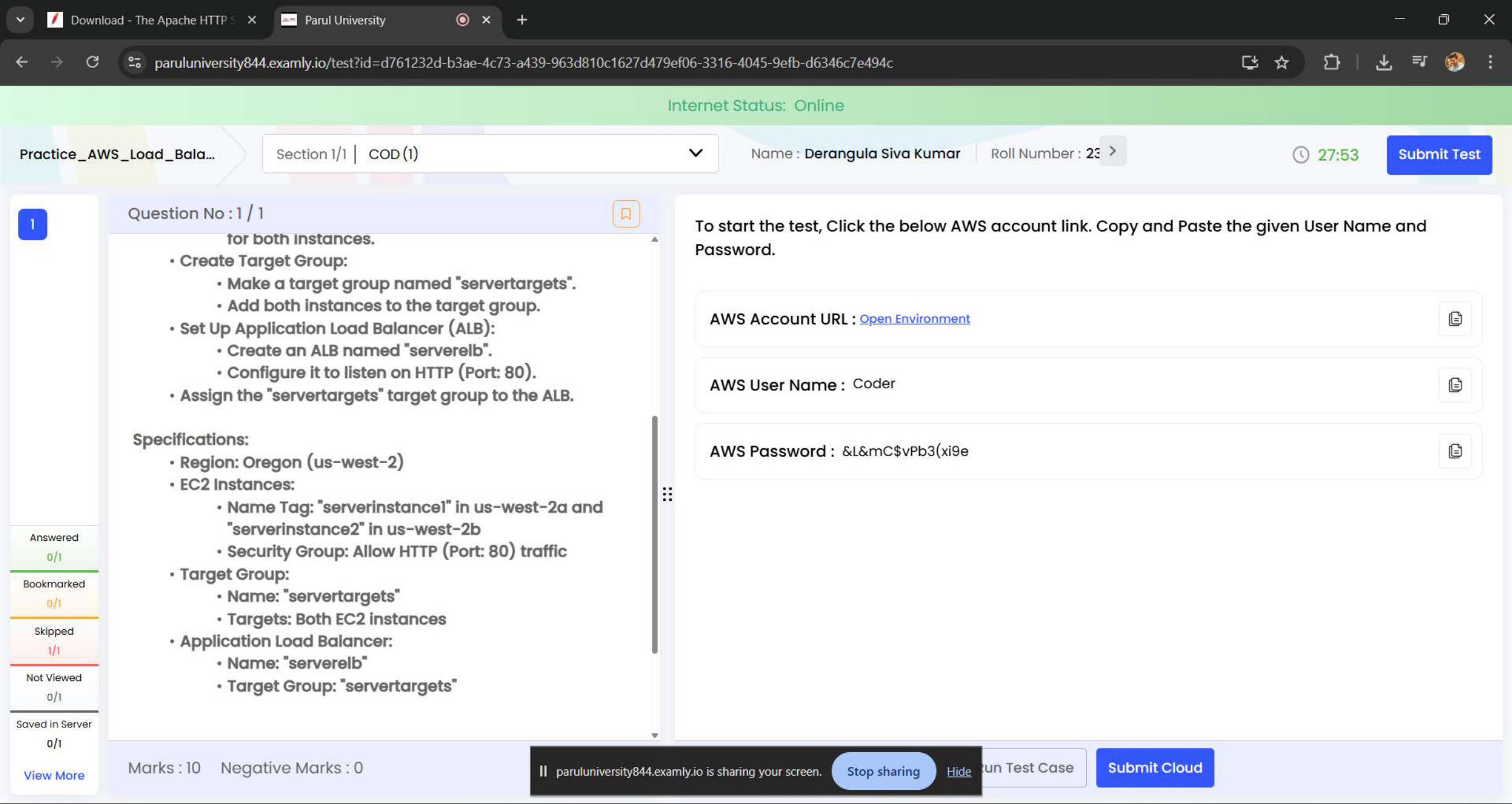
EC2 & Application Load Balancer

Launched two EC2 instances — serverinstance1 in us-west-2a and serverinstance2 in us-west-2b.
EC2Elastic Load Balancing
Technical steps & learning outcomes

Implementation details

  • Launched two EC2 instances — serverinstance1 in us-west-2a and serverinstance2 in us-west-2b.
  • Configured a Security Group to allow HTTP traffic on port 80 for both instances.
  • Created a Target Group named servertargets and registered both EC2 instances.
  • Set up an Application Load Balancer named serverelb listening on HTTP port 80 and linked it to the servertargets group.

Outcome & learning

  • All test cases passed with 100% success.
  • Improved understanding of designing fault-tolerant and highly available architectures in AWS using Application Load Balancers.
  • Built experience applicable to real-world cloud deployments.
AWS task evidence preview: Launch Template & Auto Scaling Group
Task 07 / Compute, Storage & InfrastructureEC2 / Auto Scaling

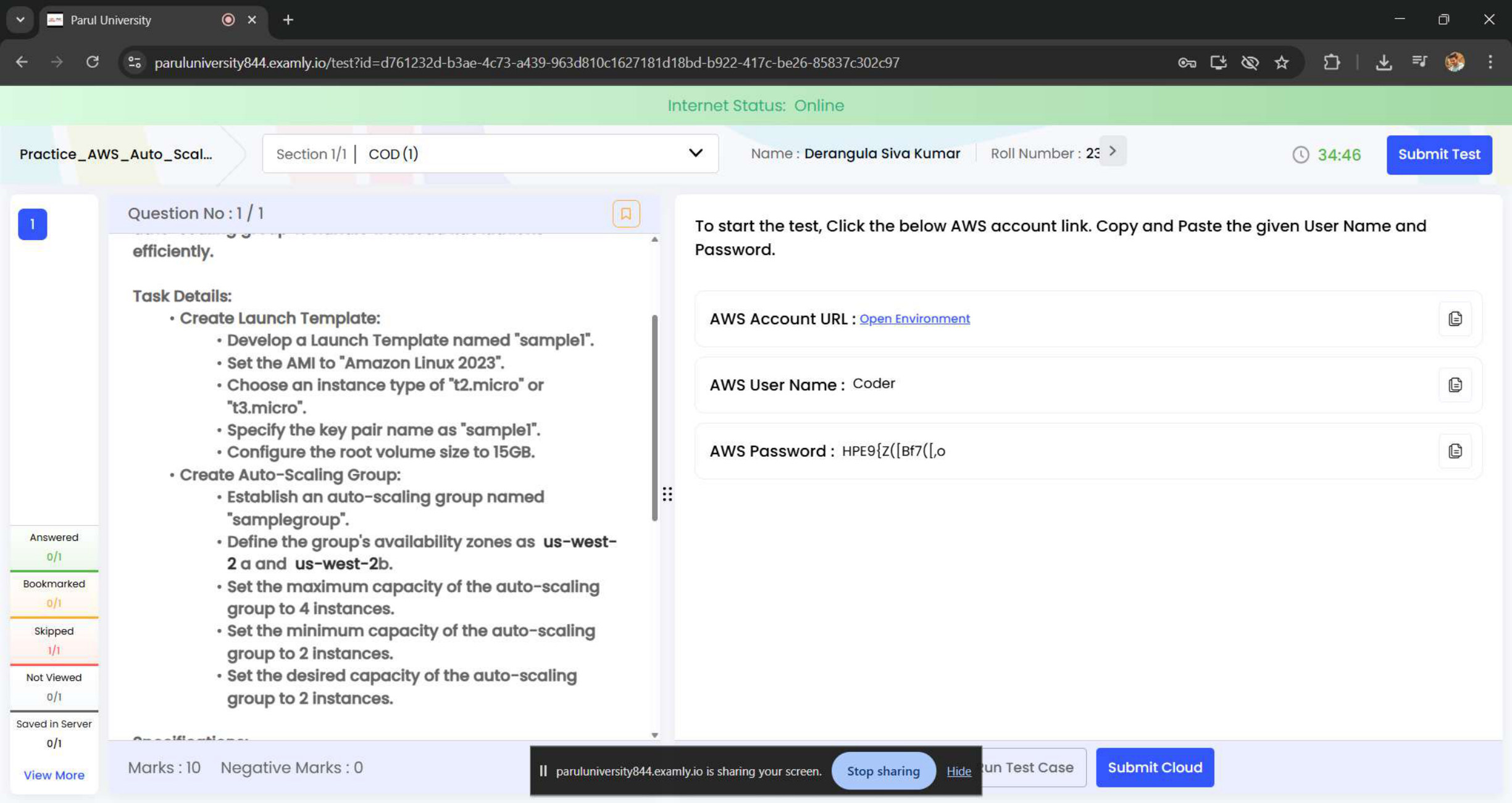
Launch Template & Auto Scaling Group

Created a Launch Template named sample1.
EC2Auto Scaling
Technical steps & learning outcomes

Implementation details

  • Created a Launch Template named sample1.
  • Configured the template with Amazon Linux 2023, instance type t2.micro or t3.micro, key pair sample1, and a 15 GB root volume.
  • Created an Auto Scaling Group named samplegroup.
  • Configured Availability Zones us-west-2a and us-west-2b.
  • Set maximum capacity to 4 instances, minimum capacity to 2 instances, and desired capacity to 2 instances.

Outcome & learning

  • All test cases passed with 100% success.
  • Enhanced understanding of automated scaling, load distribution, and infrastructure resilience in AWS.
AWS task evidence preview: S3 Versioning, Tags & File Upload
Task 09 / Compute, Storage & InfrastructureS3 / Storage

S3 Versioning, Tags & File Upload

Created an S3 bucket named coder<account-id> in the us-east-2 (Ohio) region.
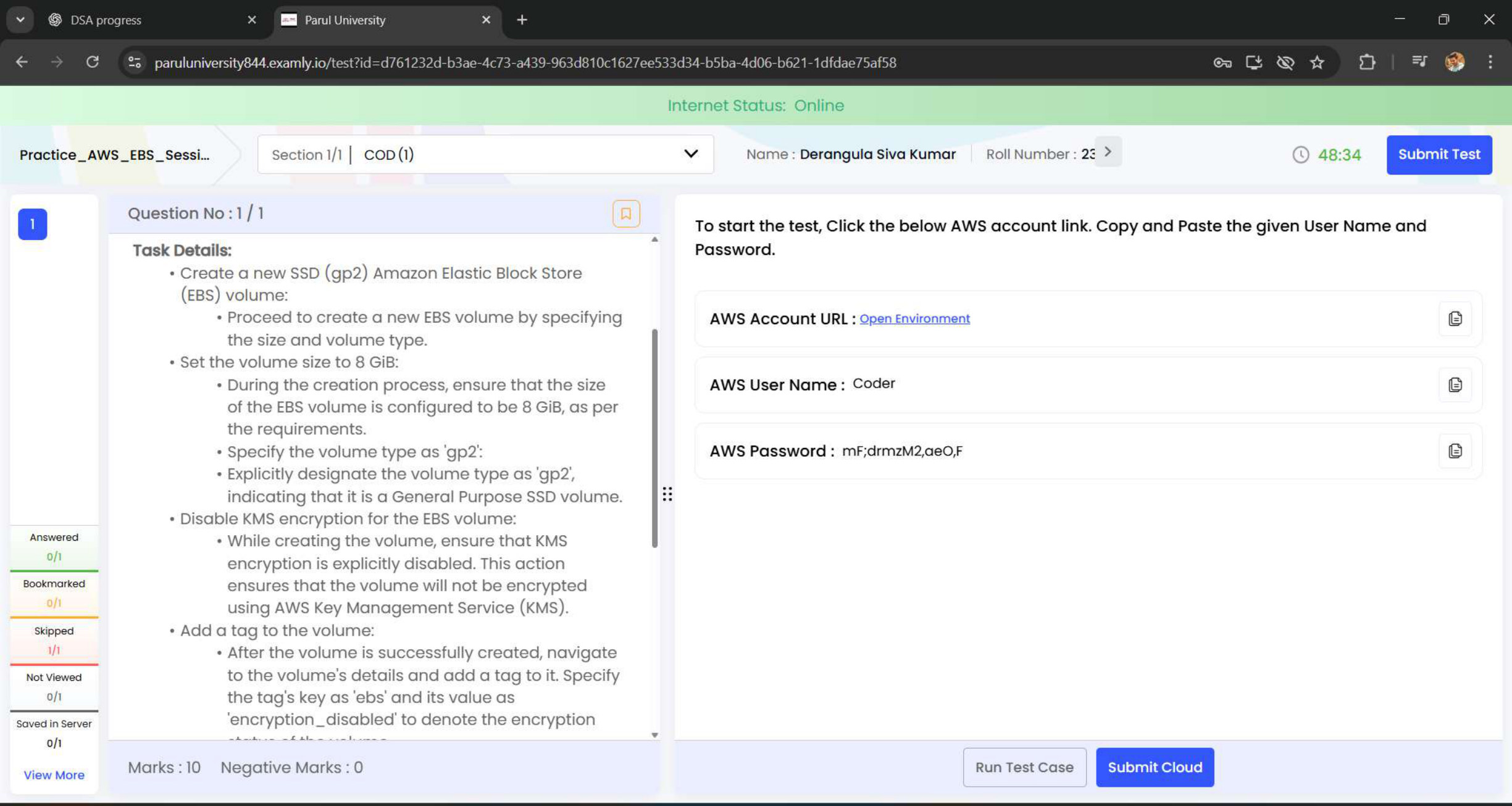
S3Storage
Technical steps & learning outcomes

Implementation details

  • Created an S3 bucket named coder<account-id> in the us-east-2 (Ohio) region.
  • Enabled Bucket Versioning for enhanced data durability.
  • Added a tag: Key = UsedFor, Value = FileUpload.
  • Uploaded a file named config.json to the root of the bucket.
  • Created a folder named assets/ within the bucket.
  • Ensured public read access for the config.json file.

Outcome & learning

  • All test cases passed with 100% success.
  • Strengthened understanding of S3 versioning, tagging, and secure file accessibility in the cloud.
  • Continued building hands-on AWS storage expertise.
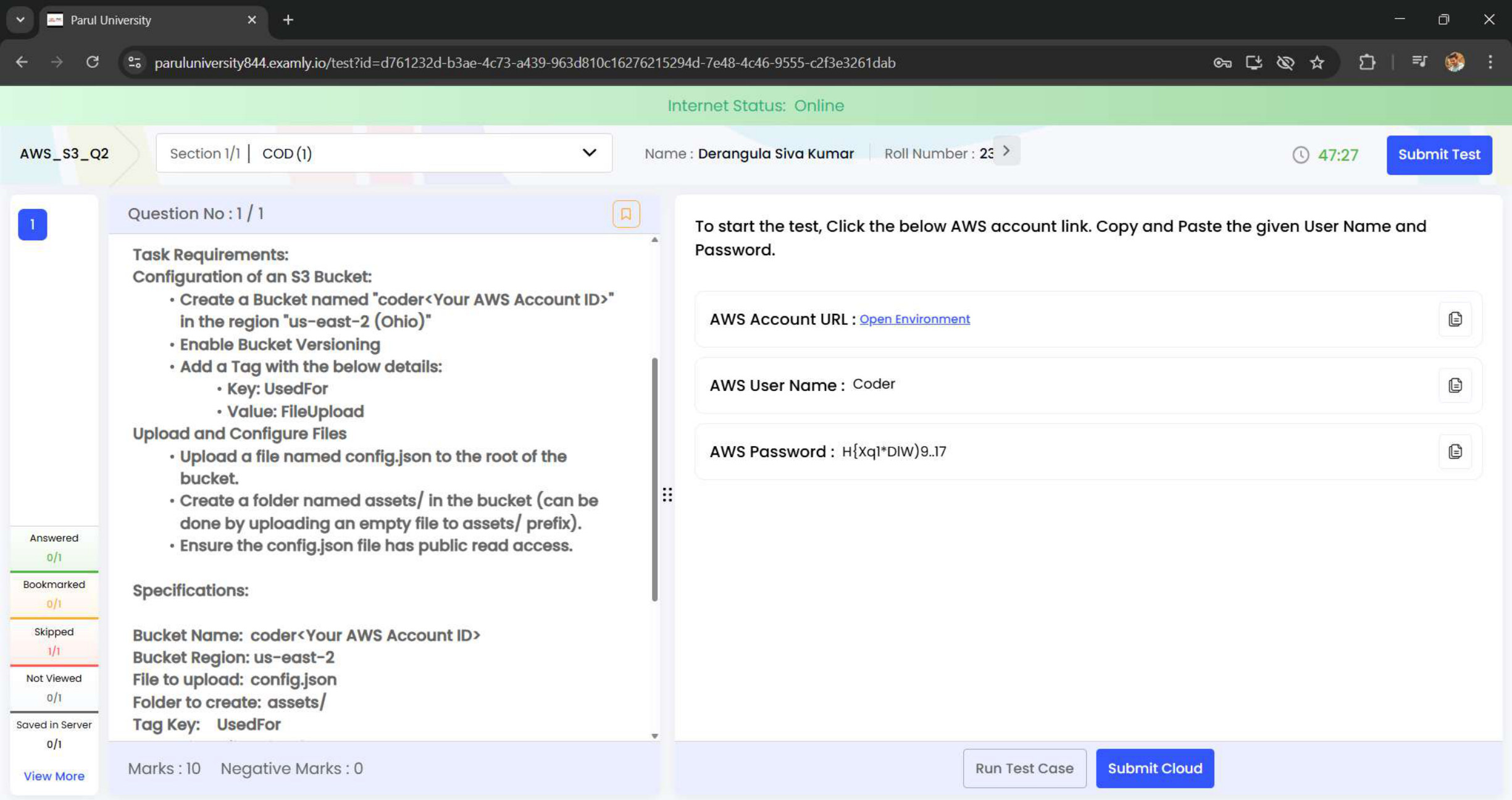
AWS task evidence preview: EBS gp2 Volume
Task 10 / Compute, Storage & InfrastructureEBS / Block Storage

EBS gp2 Volume

Created a new SSD (gp2) EBS volume.

EBSBlock Storage
Technical steps & learning outcomes

Implementation details

  • Created a new SSD (gp2) EBS volume.
  • Configured the volume size to 8 GiB.
  • Set the volume type explicitly as gp2.
  • Disabled KMS encryption to ensure the volume is not encrypted.
  • Added a tag with Key = ebs and Value = encryption_disabled.

Outcome & learning

  • All test cases passed with 100% success.
  • Enhanced understanding of block storage, volume encryption, and tagging strategies in AWS.
  • Built practical exposure to AWS storage configuration.
AWS task evidence preview: S3 Static Website — index.html
Task 11 / Compute, Storage & InfrastructureS3 / Static Website

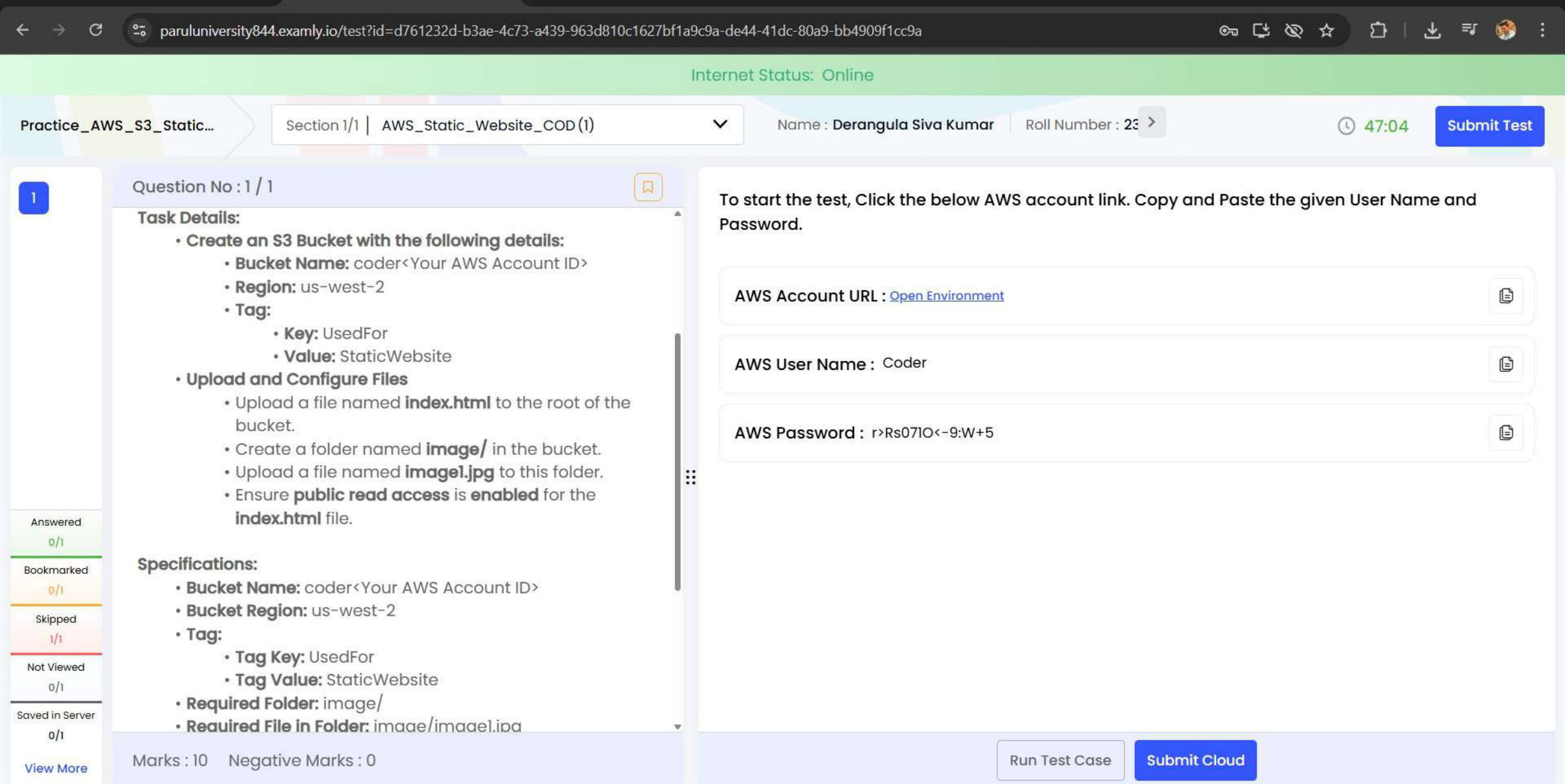
S3 Static Website — index.html

Created an S3 bucket named coder in the us-west-2 region.
S3Static Website
Technical steps & learning outcomes

Implementation details

  • Created an S3 bucket named coder in the us-west-2 region.
  • Added a tag: Key = UsedFor, Value = StaticWebsite.
  • Uploaded index.html to the root and created a folder named image/, then uploaded image1.jpg.
  • Enabled public read access for the index.html file.

Outcome & learning

  • All test cases passed.
  • Enhanced skills in S3 static website hosting and AWS storage services.
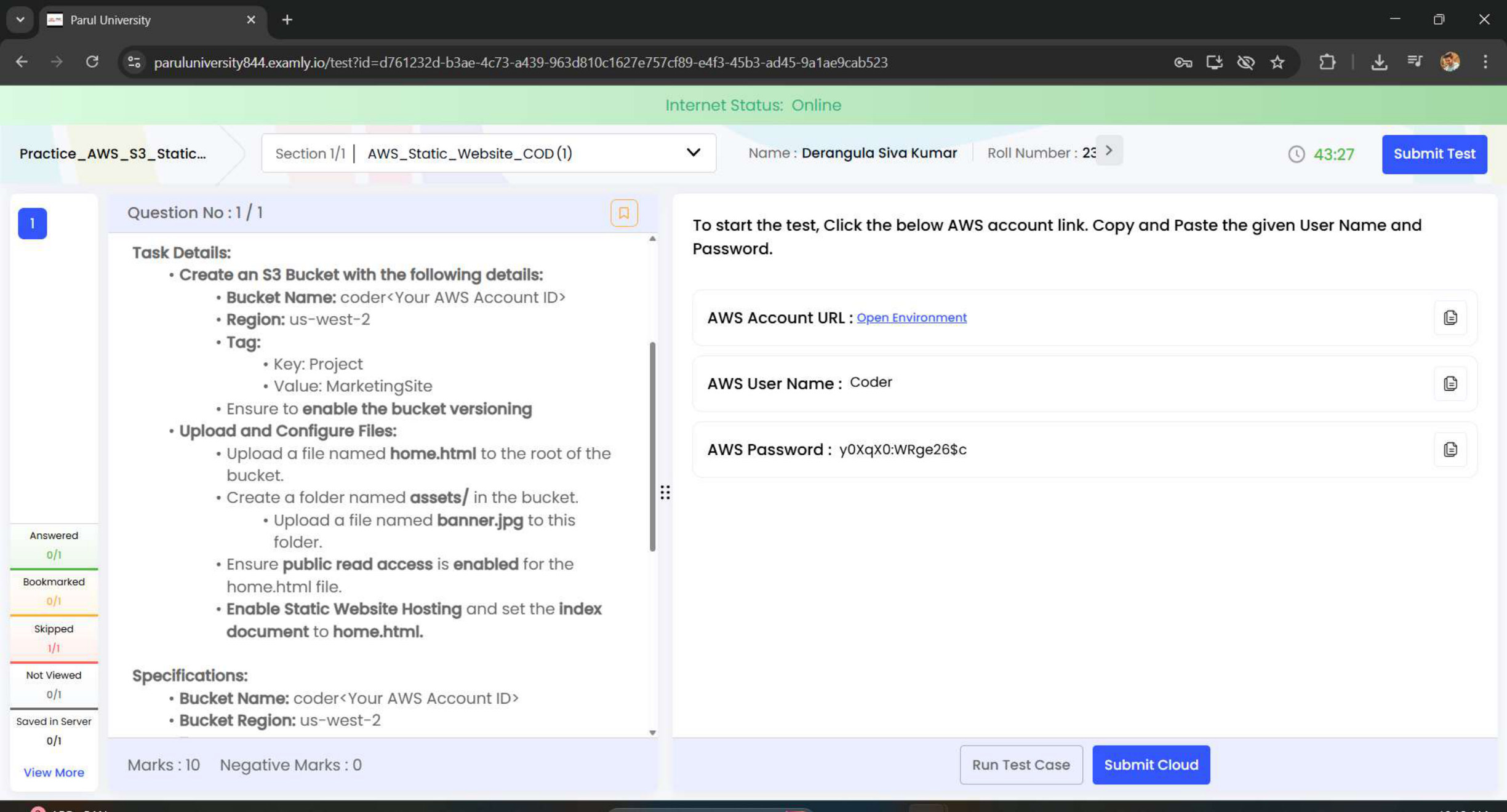
AWS task evidence preview: S3 Static Website — home.html
Task 14 / Compute, Storage & InfrastructureS3 / Static Website

S3 Static Website — home.html

Created an S3 bucket named coder<Your AWS Account ID> in the us-west-2 region.
S3Static Website
Technical steps & learning outcomes

Implementation details

  • Created an S3 bucket named coder<Your AWS Account ID> in the us-west-2 region.
  • Enabled bucket versioning.
  • Uploaded home.html to the root directory.
  • Created an assets/ folder and uploaded banner.jpg.
  • Enabled public read access for the website files.
  • Activated Static Website Hosting and set the index document to home.html.

Outcome & learning

  • Learned how to deploy and manage a static website using AWS S3.
  • Gained hands-on experience in bucket versioning, access control, and hosting setup.
  • Understood how S3 can serve as a cost-effective web hosting solution.
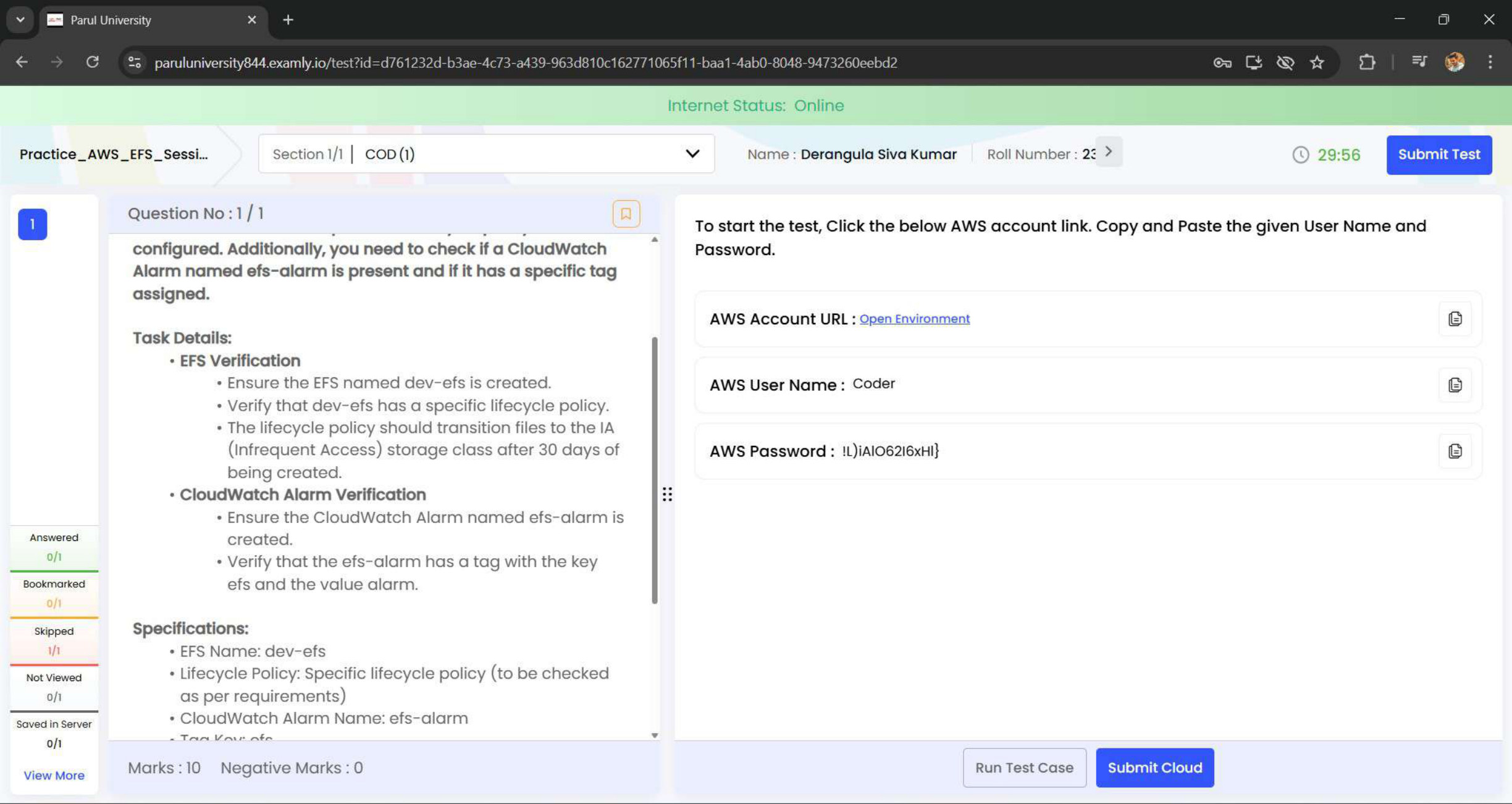
AWS task evidence preview: EFS Lifecycle & CloudWatch Alarm
Task 15 / Compute, Storage & InfrastructureEFS / Monitoring

EFS Lifecycle & CloudWatch Alarm

Confirmed the creation of the EFS named dev-efs.

EFSMonitoring
Technical steps & learning outcomes

Implementation details

  • Confirmed the creation of the EFS named dev-efs.
  • Verified that the lifecycle policy transitions files to Infrequent Access (IA) storage after 30 days.
  • Checked that a CloudWatch alarm named efs-alarm was created.
  • Ensured the alarm had a tag with key = efs and value = alarm.

Outcome & learning

  • Gained hands-on experience in EFS lifecycle management and optimisation.
  • Learned how to monitor storage health using CloudWatch alarms.
  • Strengthened skills in automated monitoring and resource tagging in AWS.
04 / Identity, Data & Monitoring

Identity, Data & Monitoring

IAM, Lambda, RDS MySQL, DynamoDB Streams and CloudWatch alarms.
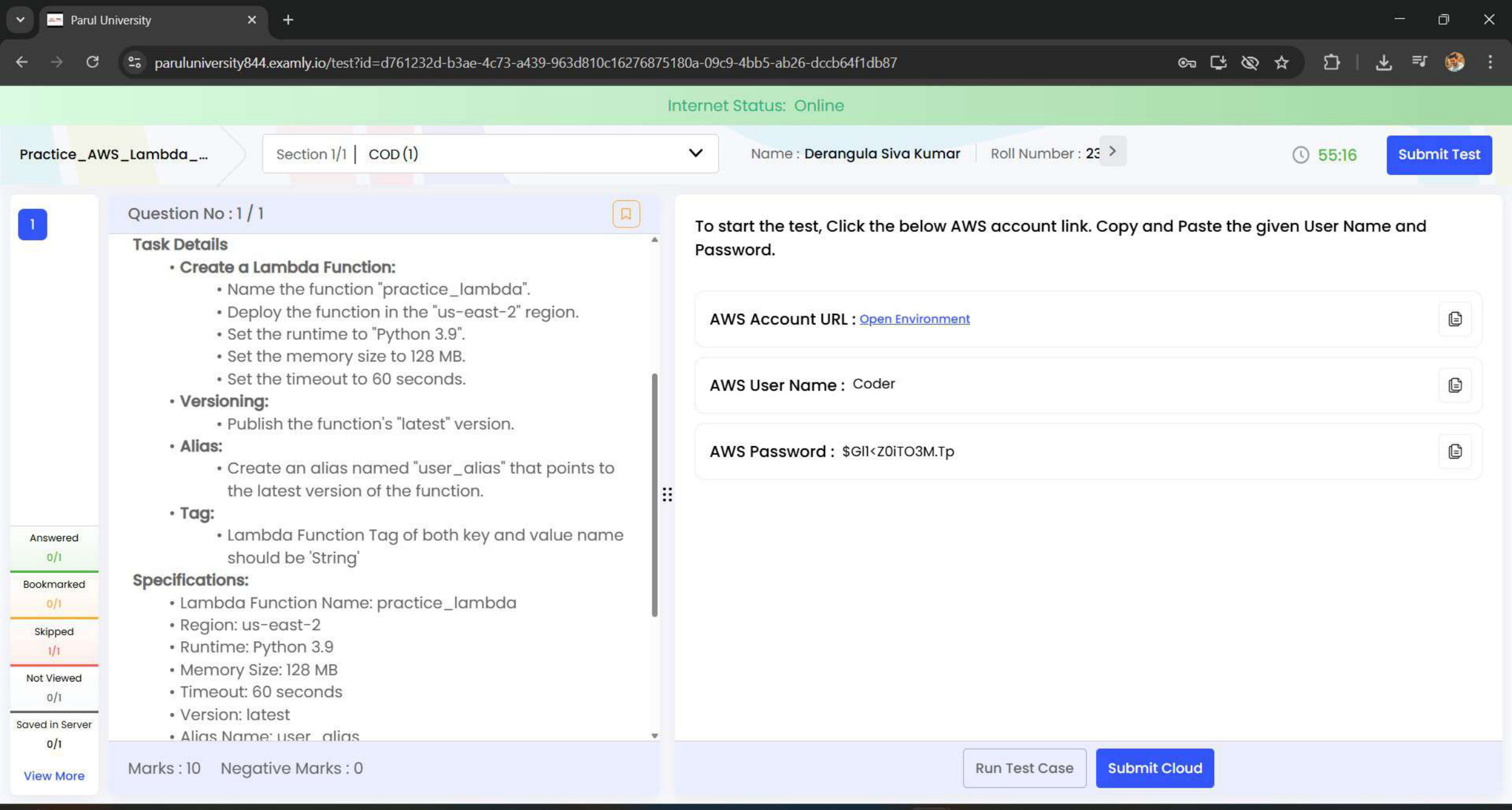
AWS task evidence preview: Lambda Function, Version & Alias
Task 08 / Identity, Databases & MonitoringLambda / Serverless

Lambda Function, Version & Alias

Created a Lambda function named practice_lambda in the us-east-2 region.
LambdaServerless
Technical steps & learning outcomes

Implementation details

  • Created a Lambda function named practice_lambda in the us-east-2 region.
  • Set the runtime to Python 3.9.
  • Configured memory size to 128 MB and timeout to 60 seconds.
  • Published the function's latest version.
  • Created an alias named user_alias pointing to the latest version.
  • Applied a Lambda function tag with key and value as String.

Outcome & learning

  • All test cases passed with 100% success.
  • Enhanced skills in serverless architecture, function versioning, and alias management using AWS Lambda.
AWS task evidence preview: IAM Group & User
Task 12 / Identity, Databases & MonitoringIAM / Security

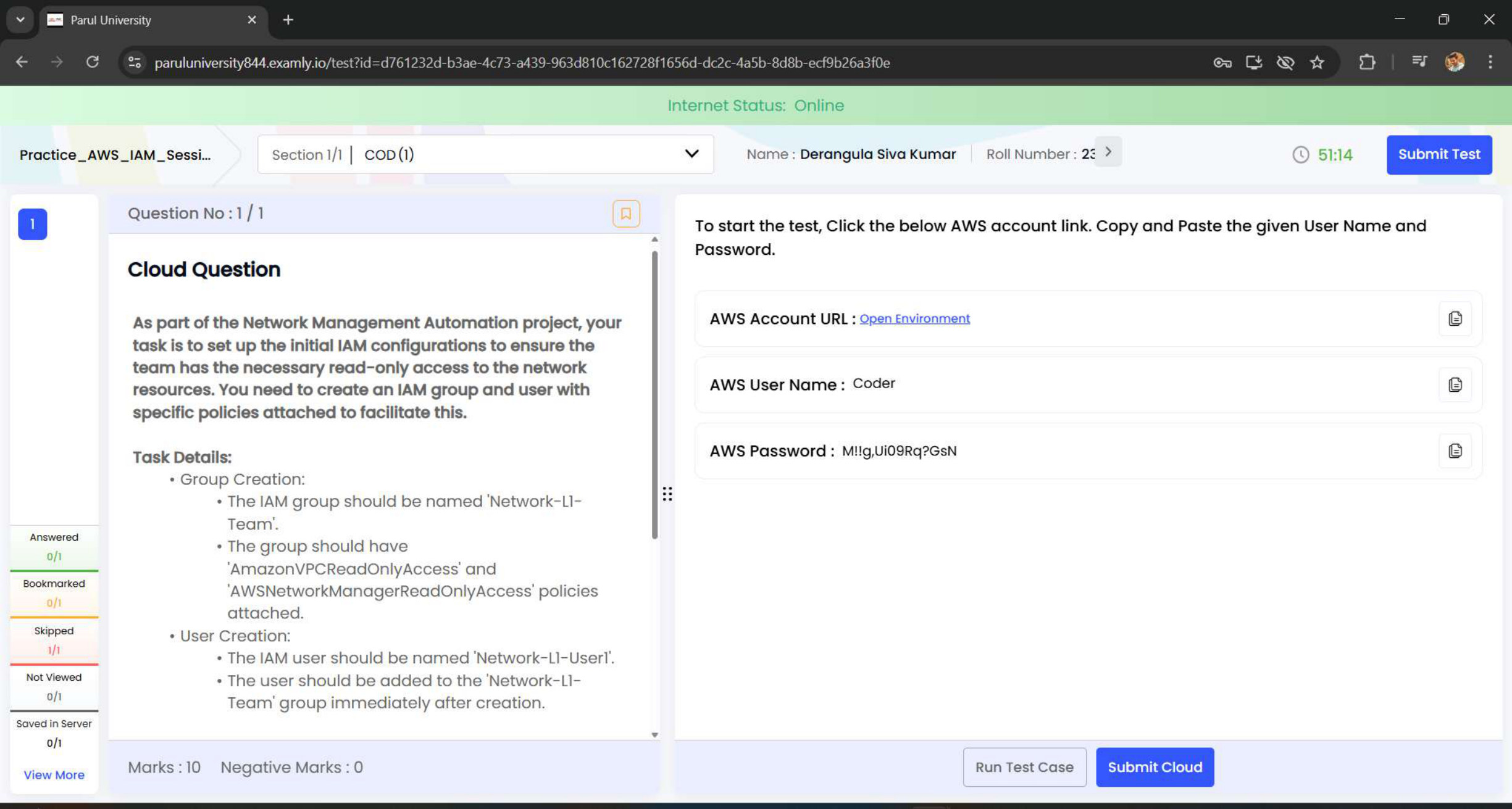
IAM Group & User

Created an IAM Group named Network-L1-Team.
IAMSecurity
Technical steps & learning outcomes

Implementation details

  • Created an IAM Group named Network-L1-Team.
  • Attached the policies AmazonVPCReadOnlyAccess and AWSNetworkManagerReadOnlyAccess.
  • Created an IAM User named Network-L1-User1.
  • Added the user to the Network-L1-Team group.

Outcome & learning

  • All test cases passed with 100% success.
  • Gained practical experience in secure group management, policy attachment, and user-role assignments.
  • Practised secure access management in AWS.
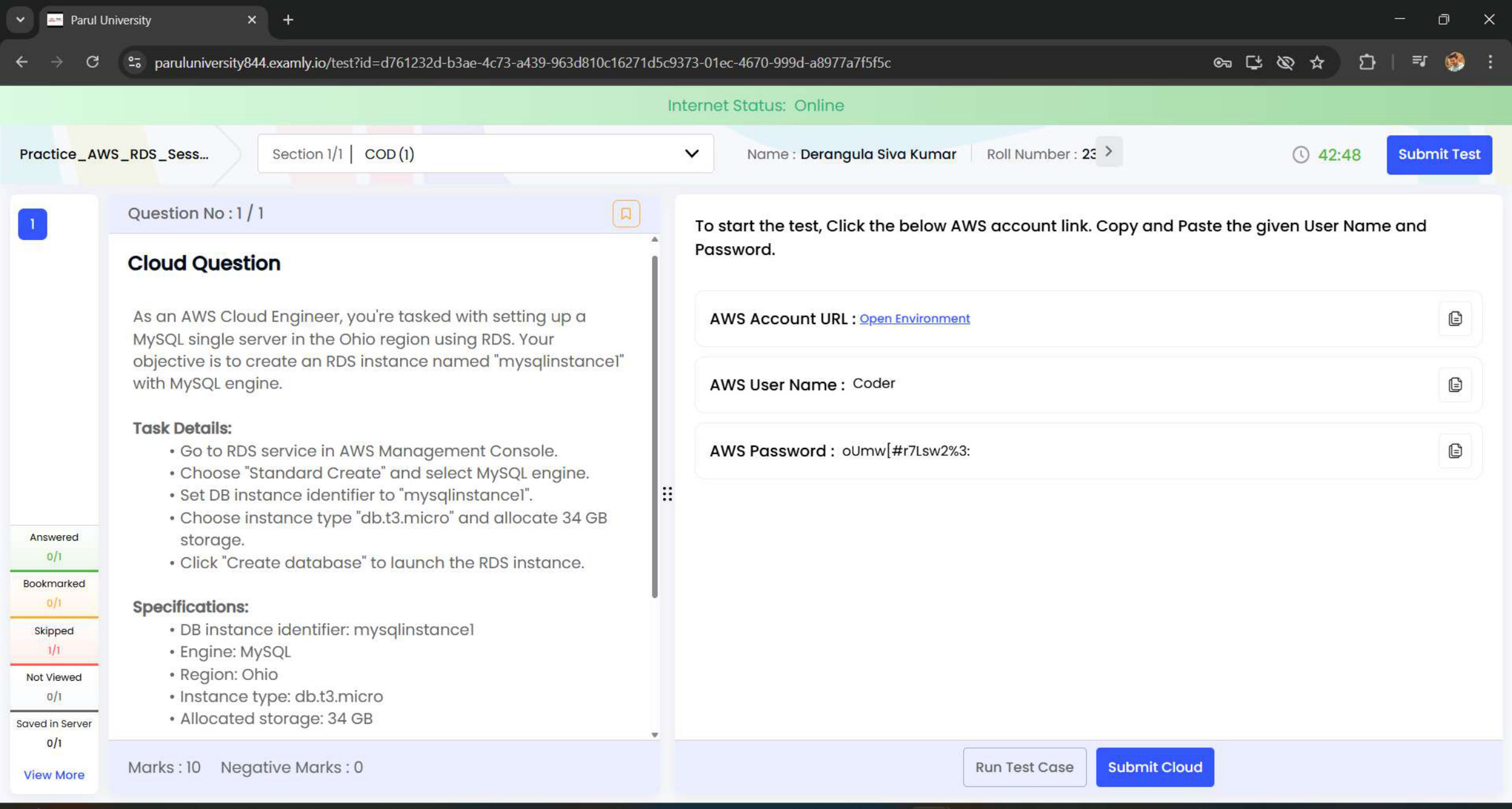
AWS task evidence preview: RDS MySQL Instance
Task 13 / Identity, Databases & MonitoringRDS / Database

RDS MySQL Instance

Created a DB instance with the identifier mysqlinstance1.
RDSDatabase
Technical steps & learning outcomes

Implementation details

  • Created a DB instance with the identifier mysqlinstance1.
  • Selected the MySQL engine.
  • Configured the instance type as db.t3.micro.
  • Allocated 34 GB of storage.
  • Launched the RDS instance with the appropriate settings.

Outcome & learning

  • Learned how to set up a fully managed relational database in AWS.
  • Gained an understanding of scaling options, storage allocation, and instance configuration.
  • Acquired practical experience in RDS deployment and management.
  • Strengthened skills for real-world cloud database administration.
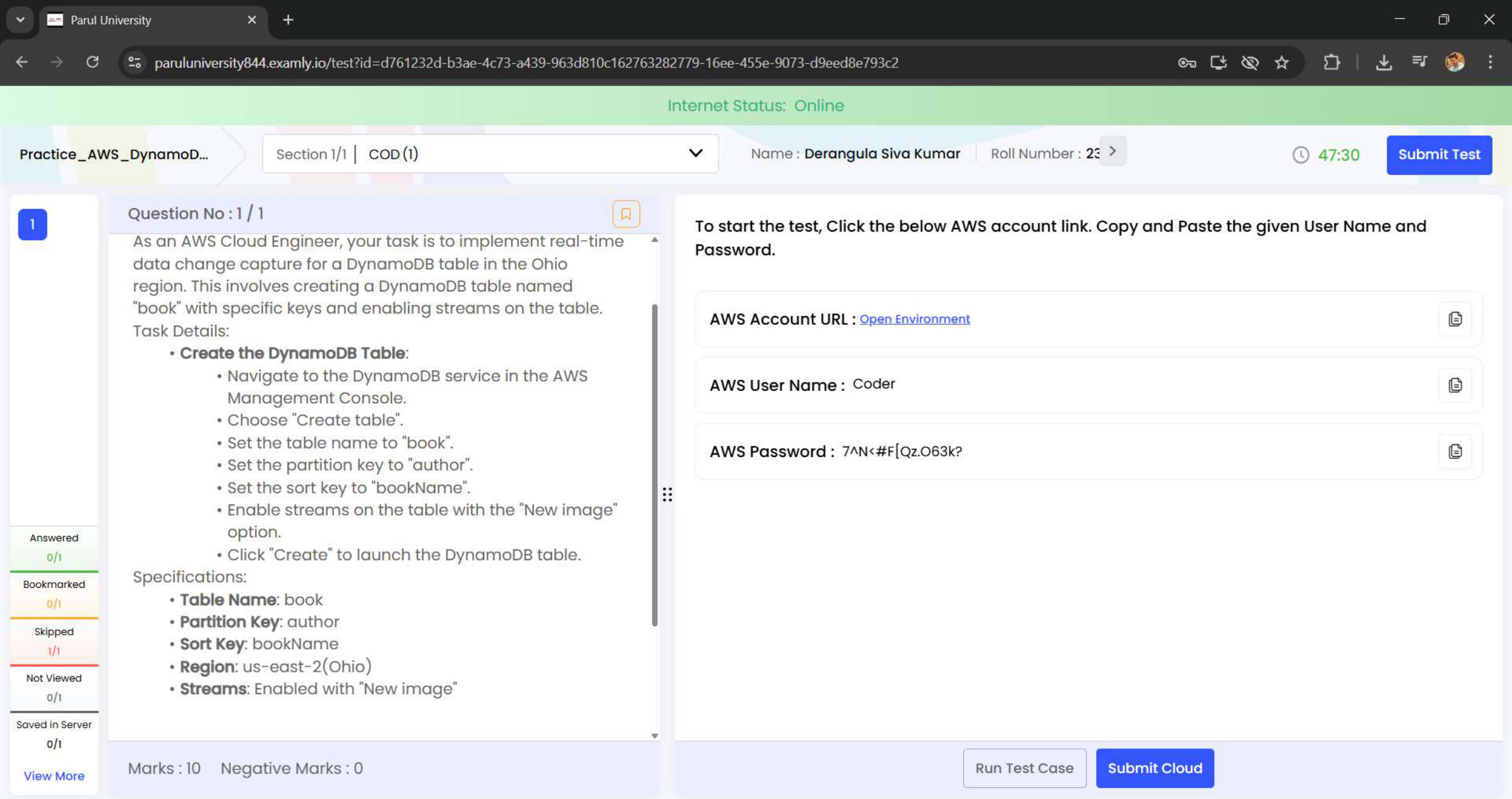
AWS task evidence preview: DynamoDB Table & Streams
Task 16 / Identity, Databases & MonitoringDynamoDB / NoSQL

DynamoDB Table & Streams

Navigated to the DynamoDB service in AWS Management Console.
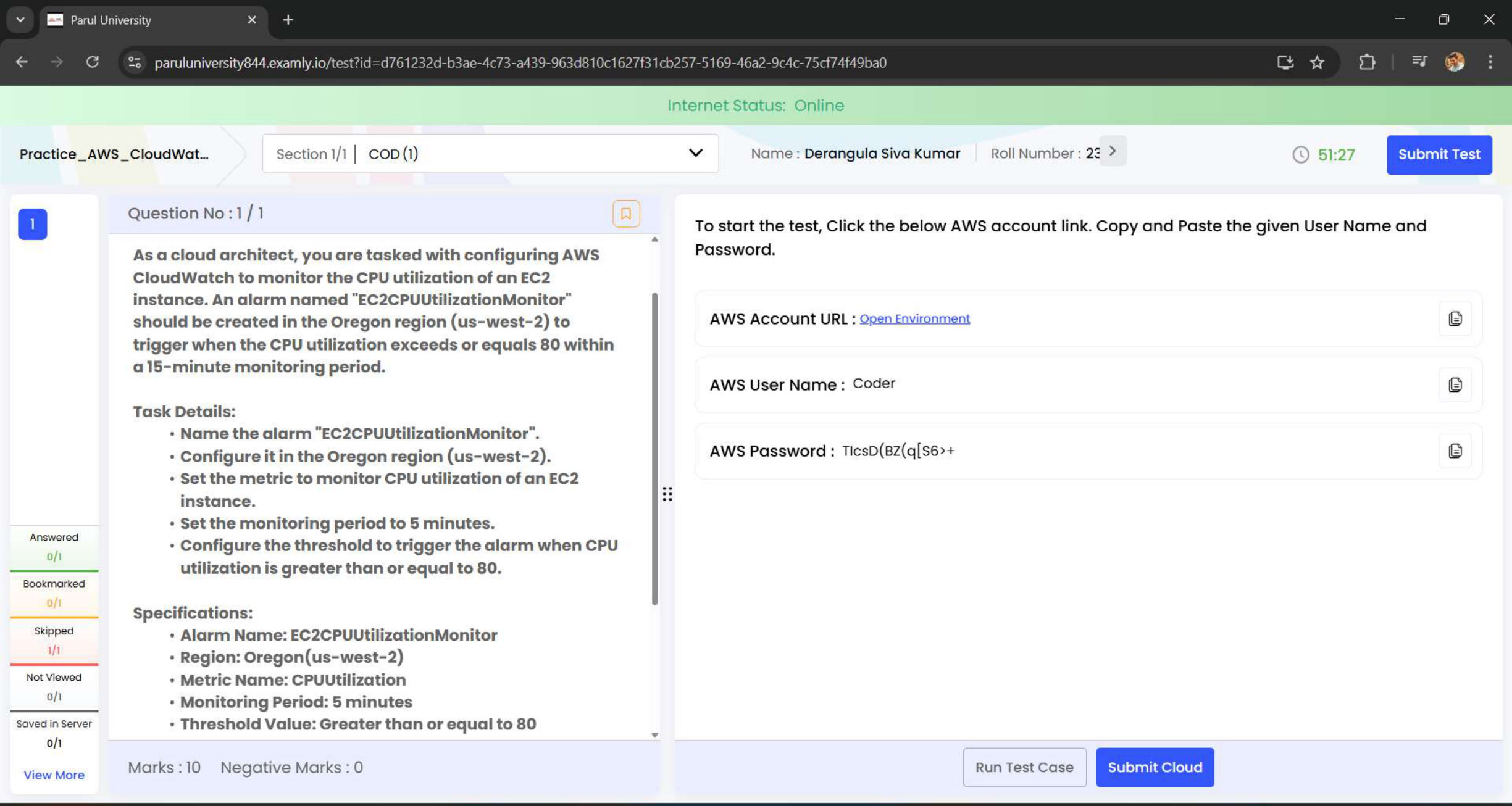
DynamoDBNoSQL
Technical steps & learning outcomes

Implementation details

  • Navigated to the DynamoDB service in AWS Management Console.
  • Created a table named book.
  • Set Partition Key as author and Sort Key as bookName.
  • Enabled Streams with the New image option.
  • Deployed the table in the us-east-2 (Ohio) region.

Outcome & learning

  • Learned how to create and configure DynamoDB tables for structured data storage.
  • Understood stream-enabled tables for real-time change tracking.
  • Strengthened NoSQL database management and AWS DynamoDB configuration skills.
AWS task evidence preview: CloudWatch EC2 CPU Alarm
Task 17 / Identity, Databases & MonitoringCloudWatch / Monitoring

CloudWatch EC2 CPU Alarm

Accessed AWS CloudWatch in the us-west-2 (Oregon) region.
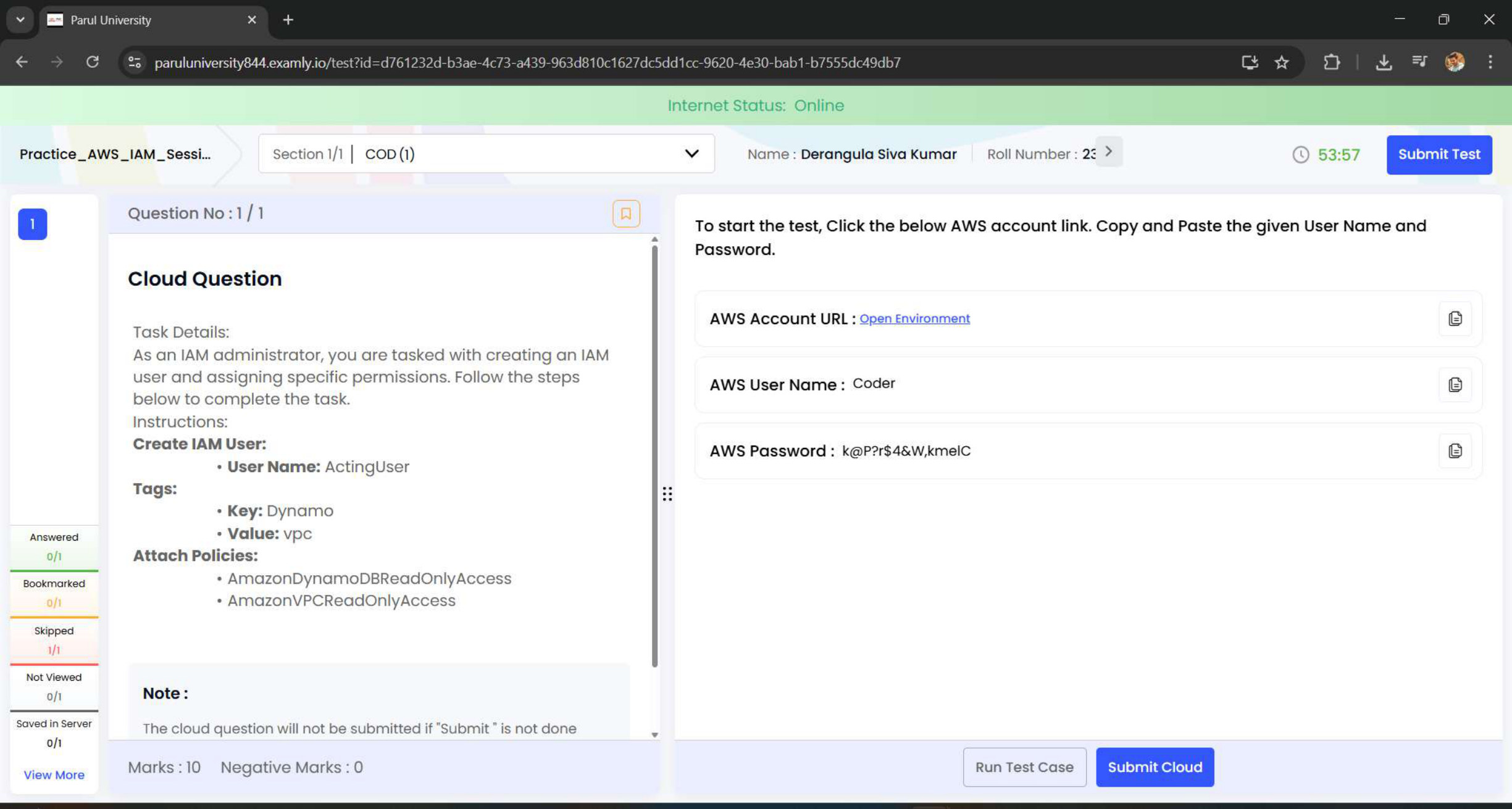
CloudWatchMonitoring
Technical steps & learning outcomes

Implementation details

  • Accessed AWS CloudWatch in the us-west-2 (Oregon) region.
  • Selected the EC2 metric CPUUtilization for real-time monitoring.
  • Set a Static threshold for CPU ≥ 80%.
  • Defined a 5-minute period for accurate performance tracking.
  • Named the alarm EC2CPUUtilizationMonitor and validated its active status.

Outcome & learning

  • Gained hands-on experience in creating and managing CloudWatch alarms.
  • Understood how to monitor EC2 health metrics effectively.
  • Learned proactive alerting techniques for maintaining system performance.
AWS task evidence preview: IAM User & Read-Only Access
Task 18 / Identity, Databases & MonitoringIAM / Security

IAM User & Read-Only Access

Created a new IAM user named ActingUser.

IAMSecurity
Technical steps & learning outcomes

Implementation details

  • Created a new IAM user named ActingUser.
  • Assigned a tag with Key = Dynamo and Value = vpc.
  • Attached the AmazonDynamoDBReadOnlyAccess policy for database monitoring.
  • Attached the AmazonVPCReadOnlyAccess policy for network visibility.
  • Verified user permissions to ensure adherence to the least-privilege principle.

Outcome & learning

  • Gained an understanding of the IAM user creation and policy attachment process.
  • Practised the principle of least privilege to secure access.
  • Acquired practical experience in AWS Identity and Access Management.
05 / Toolkit

Built on Fundamentals.
Powered by Continuous Learning.

A practical toolkit across programming, software development, AI/ML and cloud technologies.

01 / Programming & DSA

C++CPythonSQL FundamentalsData StructuresAlgorithmsProblem SolvingSearchingSortingOOP

02 / Development

FlaskHTMLCSSJavaScript FundamentalsWeb Applications

03 / Tools & Workflow

GitGitHubVS CodeDebuggingTestingInput ValidationCode OptimizationDocumentation

04 / AI & Machine Learning

Machine LearningScikit-learnData PreprocessingFeature EngineeringModel EvaluationGenerative AI Fundamentals

05 / AWS & Cloud Computing

AWSVPCVPC PeeringRoute Tables & RoutingCIDR & IP AddressingPublic & Private SubnetsSecurity GroupsNetwork ACLsEC2SSH & ICMP TestingIAMElastic Load BalancingAuto ScalingS3EBSEFSLambdaRDSDynamoDBRoute 53CloudWatch
06 / Internship Certificates

Milestones & Credentials

Internship milestones with adjusted previews and direct links to the original certificate documents.
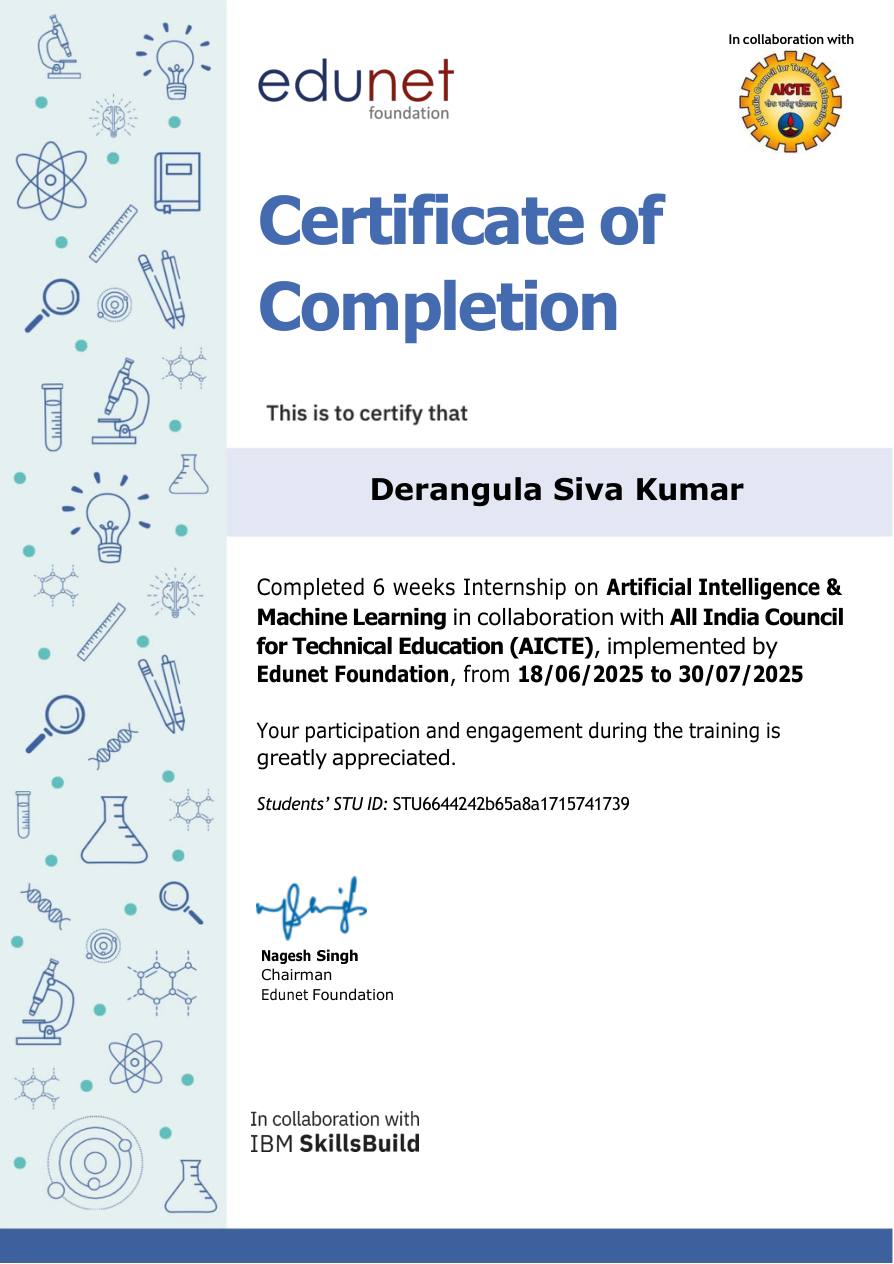
AI and Machine Learning internship certificate
2025 · 6 weeks

Artificial Intelligence & Machine Learning

Edunet Foundation · AICTE · IBM SkillsBuild

View certificate ↗
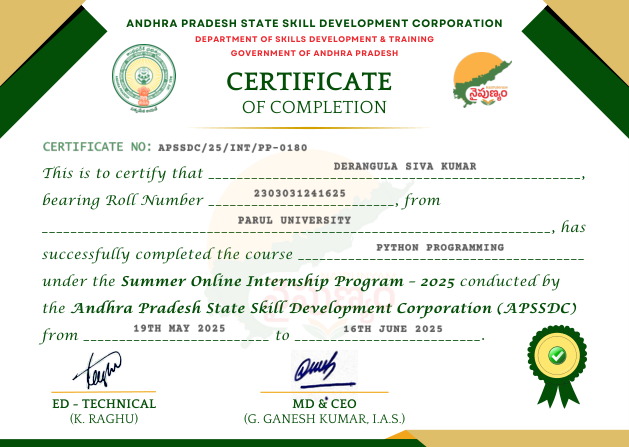
APSSDC Python Programming certificate
2025 · Summer

Python Programming

Andhra Pradesh State Skill Development Corporation

View certificate ↗
07 / Additional Certifications

Foundation &
Future

The wider collection of verified learning certificates across AWS, AI, cloud, programming and professional skills. Select any preview to open the original certificate or evidence file.
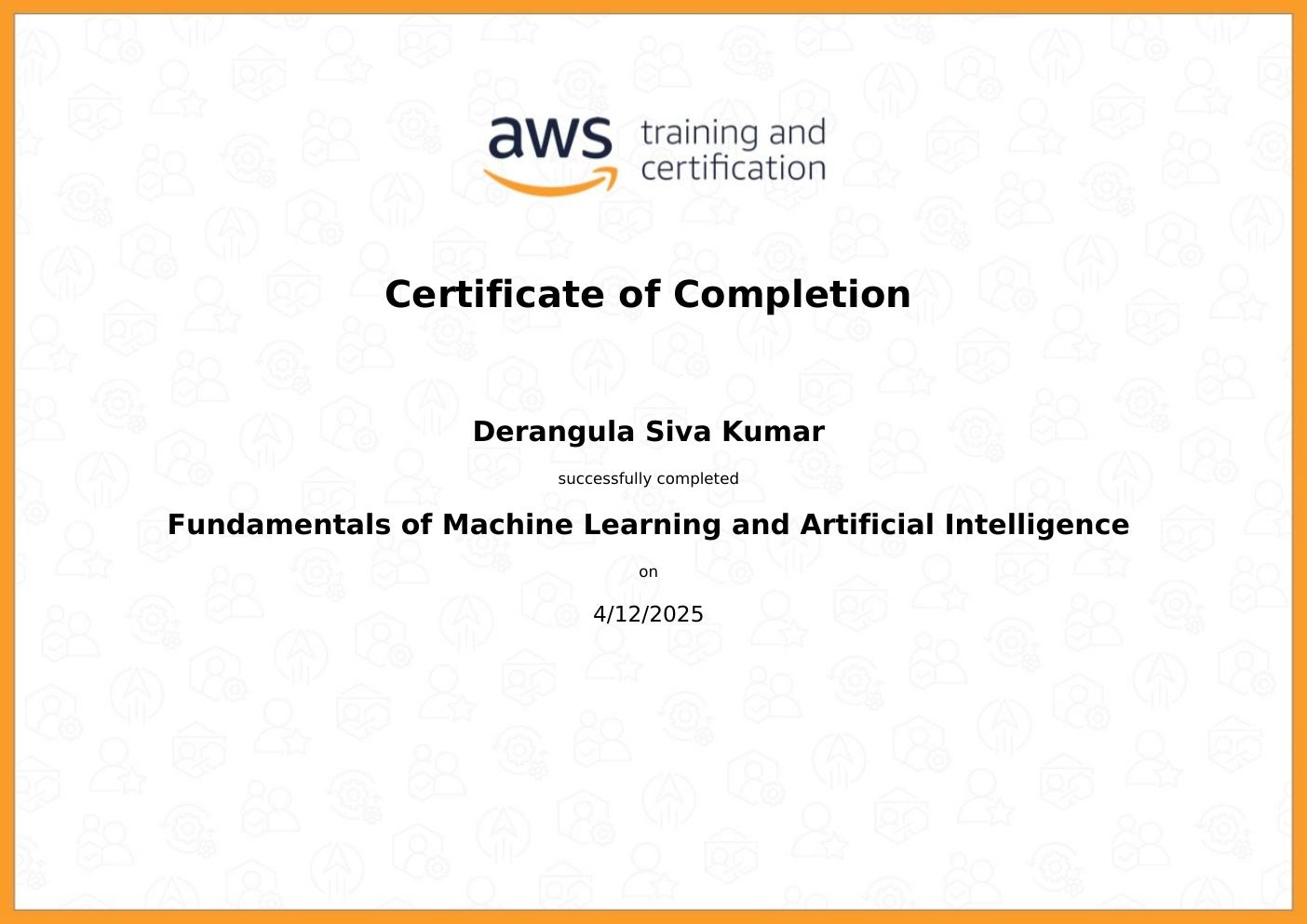
Fundamentals of Machine Learning and Artificial Intelligence certificate preview
2025 · AWS Training and Certification

Fundamentals of Machine Learning and Artificial Intelligence

View certificate ↗
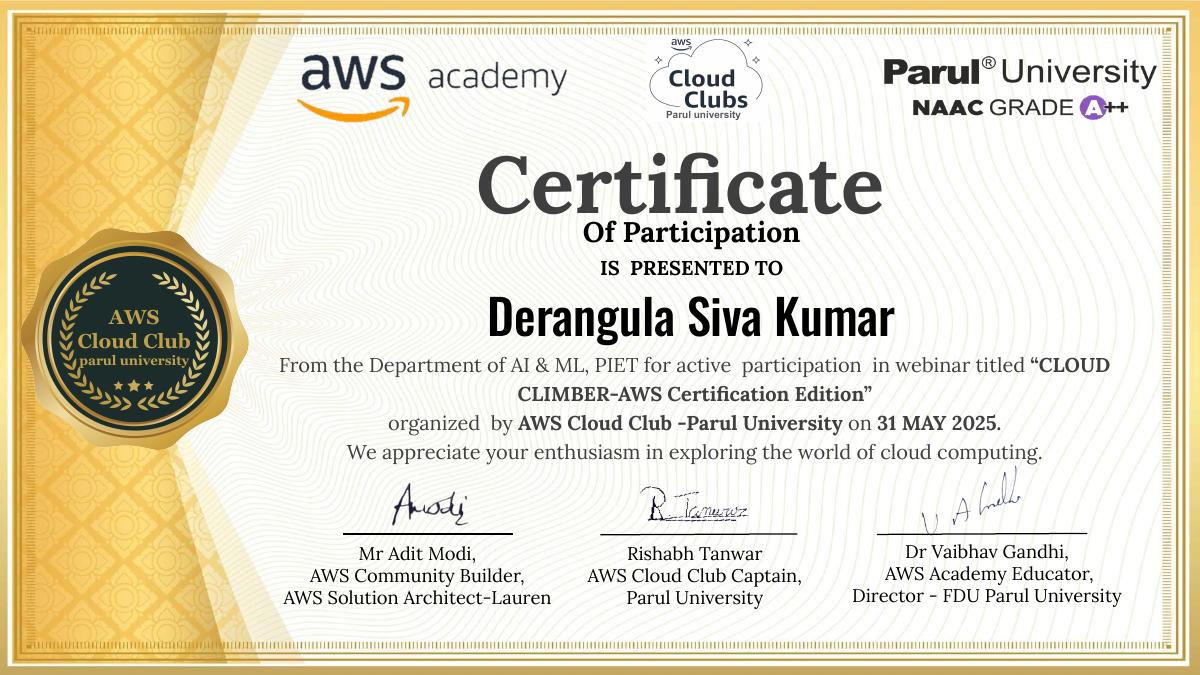
Cloud Climber – AWS Certification Edition certificate preview
2025 · AWS Cloud Club · Parul University

Cloud Climber – AWS Certification Edition

View certificate ↗
08 / Academic Honors

Academic Honors
& Scholarships

Recognition supporting my continued academic progress and professional development.

Merit-based scholarship

Yuva Unstoppable Merit Scholarship

Selected for a multi-year partial engineering scholarship, successfully renewed each year based on academic grade retention.